

Determine a legal characteristic yourself
Characteristics that cannot be derived from data are set by you, with a reason.
Before you start
Hinweis:
- You have the Editor or administrator role.
How to do it
- 1
In the workspace, open Audits & legal register and switch to the Legal register tab.
- 2
Choose the company and expand the group containing the characteristic.
- 3
Click Determine next to the characteristic.
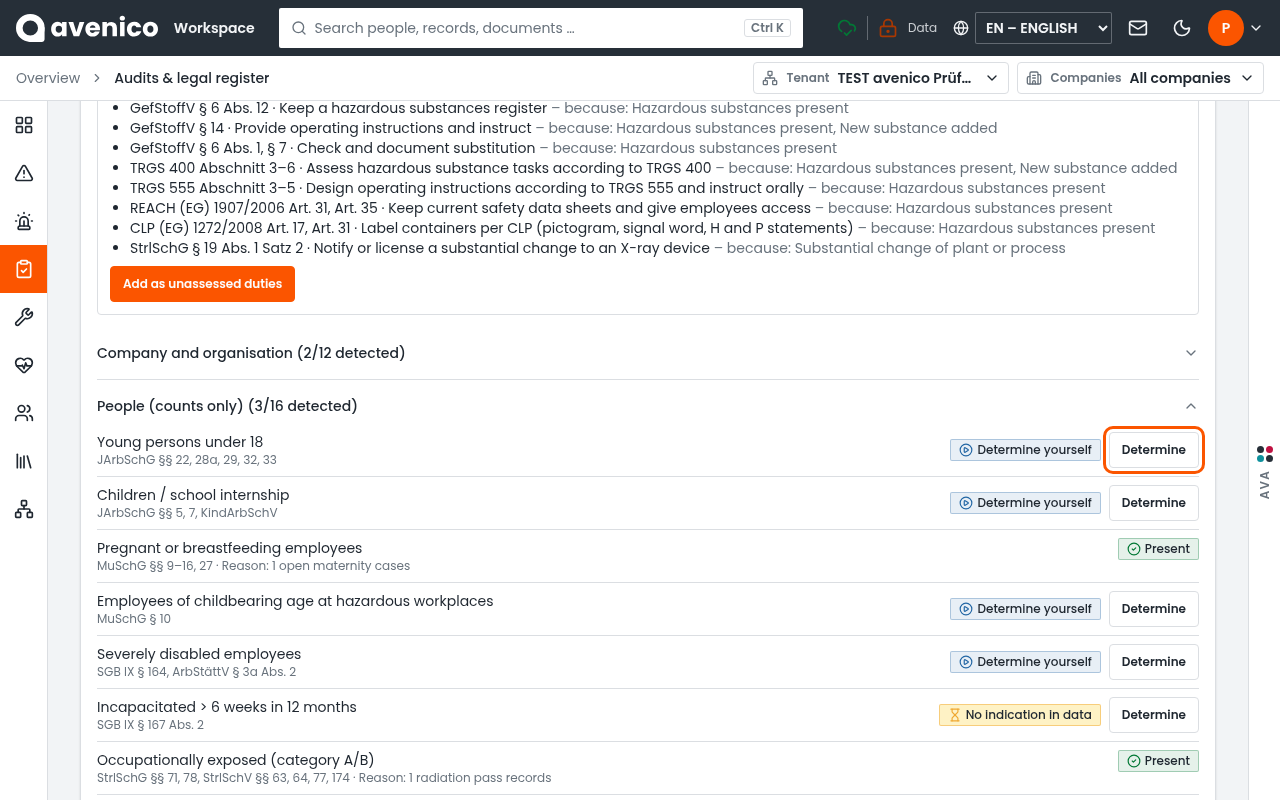
Example from a test account with fictional data - 4
Under Is this characteristic present?, choose Yes or No.
- 5
Enter a Reason and click Save.
What happens next
Tipp: The characteristic now shows Own entry with your reason. If it is present, avenico suggests the matching duties.
Troubleshooting
Achtung:
I don't see a “Determine” button.
The button only exists for characteristics that are not detected automatically, and only for editors and administrators.
Updated: 24/11/2026 · Version 1 · #12090853
Changes in this version: seed:help-2026-11-24:legal:trait-manual