

Create training
Learn how to create and set up a new training or instruction in the system.
Before you start
- The target company is set up.
- Employees or groups intended to participate are recorded in the system.
How to do it
- 1
Navigate in the menu to Trainings → Trainings.
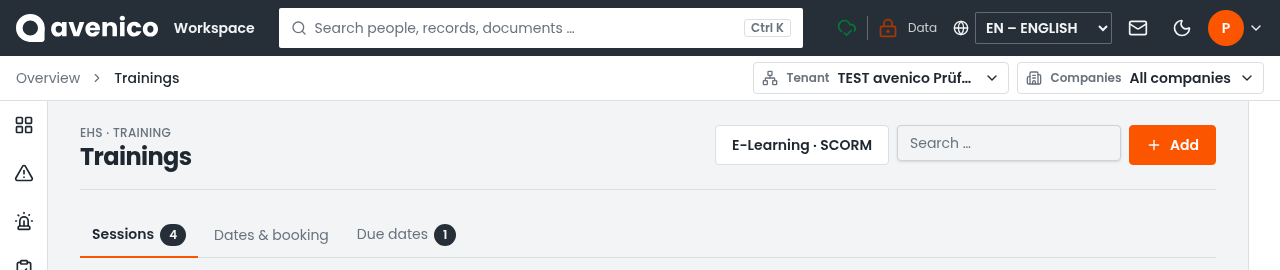
Example from a test account with fictional data - 2
If needed, select the appropriate company using the company selector at the top.
- 3
Click the button labeled Hinzufügen (Add).
- 4
Enter general details such as the title, description, and content of the training.
- 5
Define deadlines, recurrence intervals, and the assigned training lead.
- 6
Save your entries to create the training.
What happens next
Troubleshooting
Are added group members immediately marked as trained?
No. Assigning a group only defines the participants. Completed training must be recorded or confirmed separately after the session.
Why can the training lead not be selected?
The selected person must be active and properly assigned in employee records.
Updated: 24/11/2026 · Version 2 · #16502380
Changes in this version: fix:2026-11-24:16502380