

Carry out and print the annual legal compliance assessment
At least once a year you assess legal compliance (ISO 14001/45001 clause 9.1.2). Counts are frozen on saving.
Before you start
Hinweis:
- You have the Editor or administrator role.
How to do it
- 1
In the workspace, open Audits & legal register and switch to the Legal register tab.
- 2
Under Annual legal compliance assessment, click Carry out assessment.
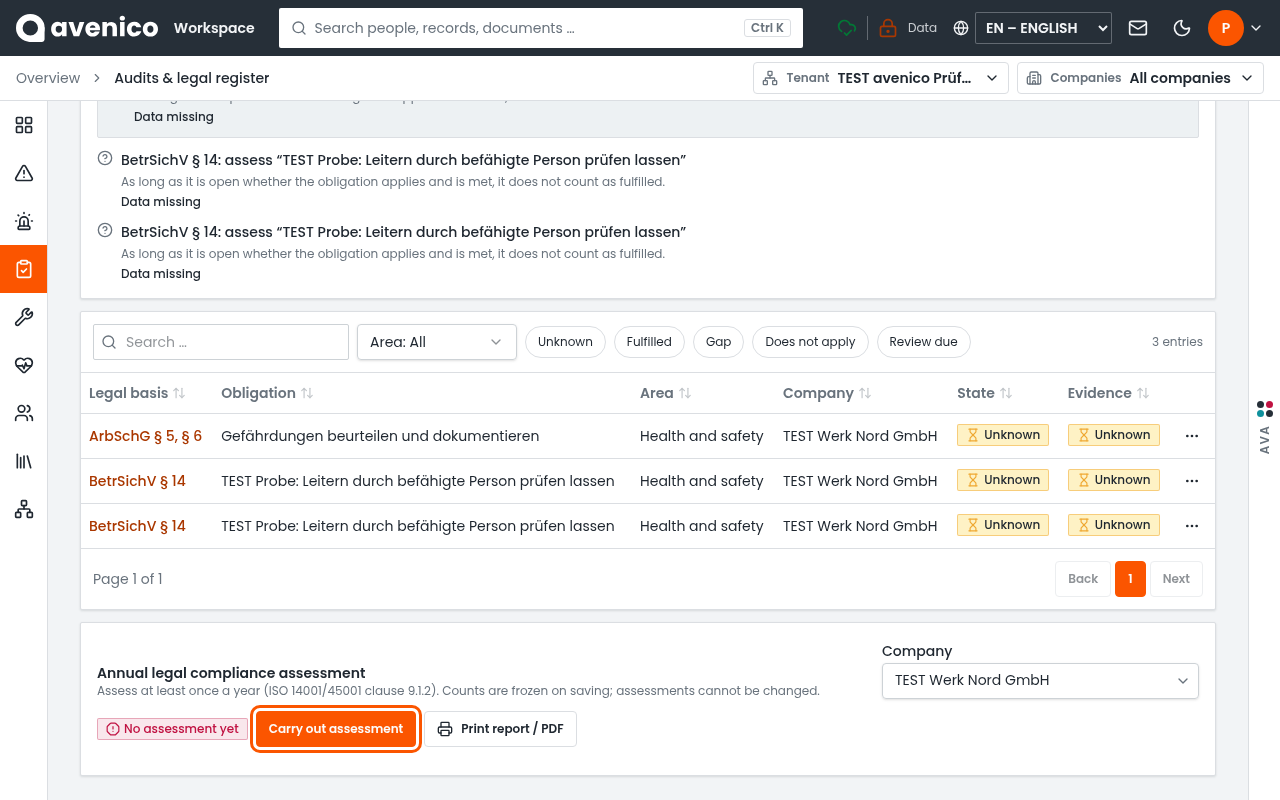
Example from a test account with fictional data - 3
Enter the date, Result and Reasoning and follow-up, then click Save.
- 4
Click Print report / PDF and choose “Save as PDF” in the print dialog.
What happens next
Tipp: The assessment is saved and cannot be changed. Last compliance assessment shows it with its date.
Troubleshooting
Achtung:
I can't choose “Compliant”.
“Compliant” is only possible when no duty is unknown, missing evidence or under review.
Updated: 24/11/2026 · Version 1 · #10332954
Changes in this version: seed:help-2026-11-24:legal:assessment