

Access and Manage Knowledge Tests
This guide explains how to access the knowledge tests section and view or manage question sets for training sessions.
Before you start
- You are logged into the workspace.
- Creating and editing question sets requires appropriate permissions (e.g., administrator role).
How to do it
- 1
In the menu, open Trainings → Knowledge tests & live.
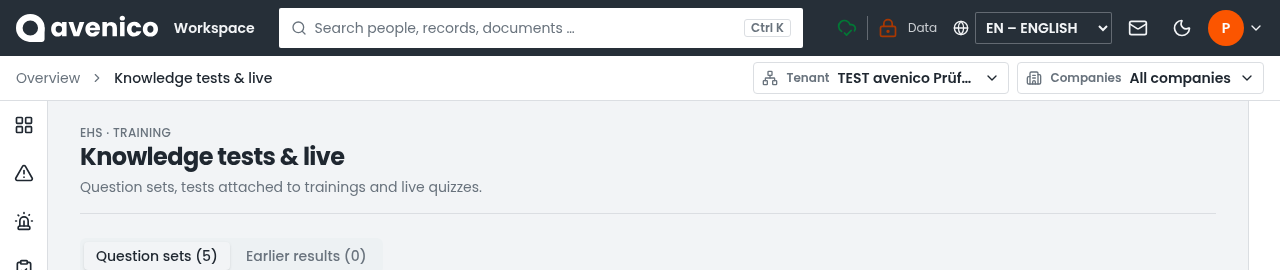
Example from a test account with fictional data - 2
Select the Fragensets tab to view all available question catalogs.
- 3
Review the table information under Titel, Verwendung, Unternehmen, Fragen, and Status.
- 4
Open the desired entry to inspect or edit question content.
- 5
Switch to Bisherige Ergebnisse when needed to review past test submissions.
What happens next
Troubleshooting
Why is there no button to create a new question set?
Creating new question sets requires administrative permissions. Contact an administrator if the creation option is missing.
Where can completed knowledge test results be reviewed?
Click the Bisherige Ergebnisse tab on the page to view documented test submissions.
Updated: 24/11/2026 · Version 2 · #73381076
Changes in this version: fix:2026-11-24:73381076