

Link a duty to equipment, a substance, a department or a storage location
When you link a duty to an object in your company, avenico checks whether evidence exists there.
Before you start
Hinweis:
- You have the Editor or administrator role.
- The object belongs to the same company as the duty.
How to do it
- 1
In the workspace, open Audits & legal register and switch to the Legal register tab.
- 2
Click the duty in the Legal basis column and click Change link.
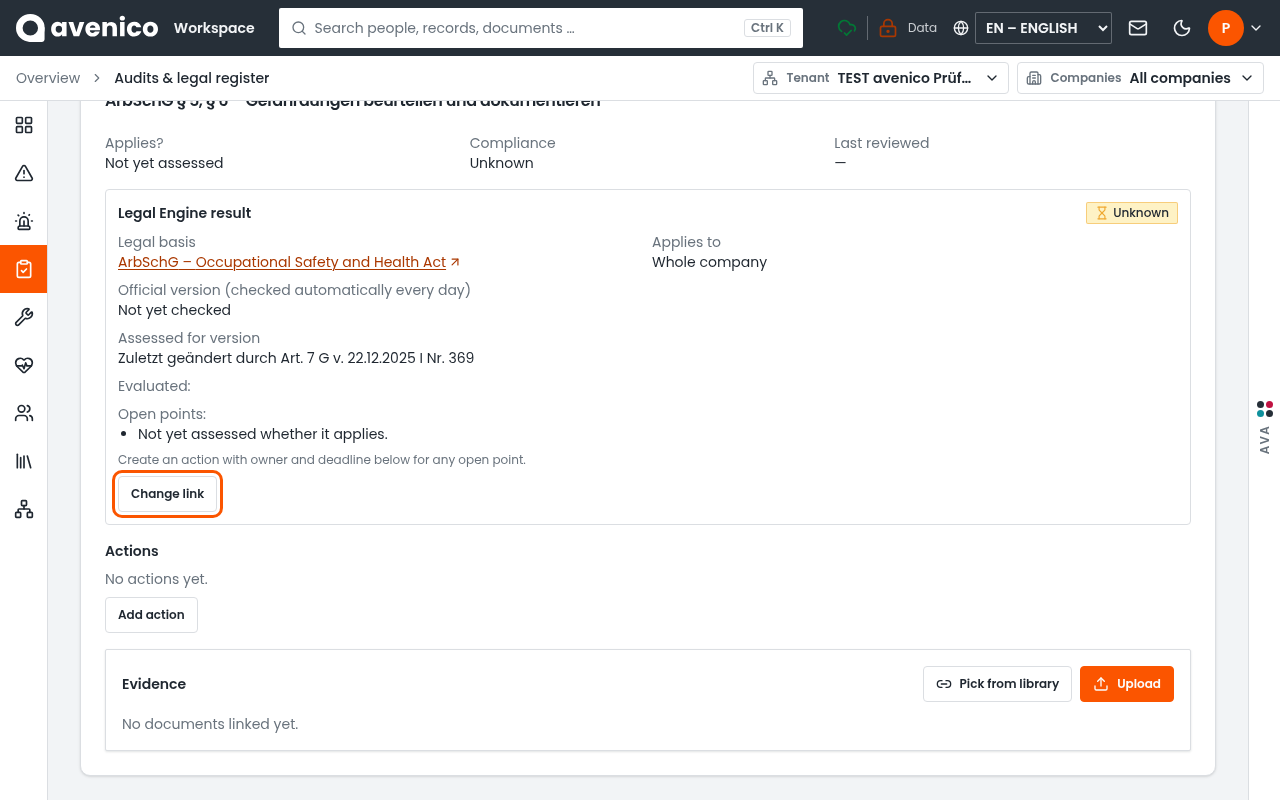
Example from a test account with fictional data - 3
Under Kind, choose equipment, site, department, storage location or hazardous substance.
- 4
Under Object, choose the entry and click Save.
What happens next
Tipp: Legal Engine result shows whether evidence exists for the object. If the object's data changes later, the duty goes back to review.
Troubleshooting
Achtung:
My object is not in the list.
Only objects of the same company are shown.
Updated: 24/11/2026 · Version 1 · #95637829
Changes in this version: seed:help-2026-11-24:legal:link