

View report forms and versions
You check the status and version history of report forms. Creating and publishing new versions requires administrator privileges; existing reports remain permanently linked to their original version.
Before you start
- You are logged in to the tenant.
- Administrator privileges are required to create and publish forms.
How to do it
- 1
Navigate to Incidents & reports → Reports and access report forms (at `/app/reports/forms`).
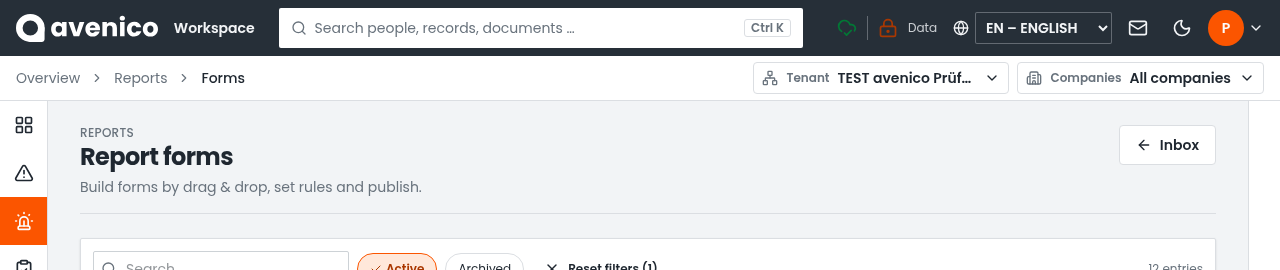
Example from a test account with fictional data - 2
Select between Aktiv (Active) and Archiviert (Archived) to filter the forms.
- 3
Review the columns Formular (Form), Version, and the modification date under Geändert in the table.
- 4
Contact an administrator if a new version needs to be released or the form schema needs adjustment.
What happens next
Troubleshooting
Why can I not edit or publish forms as an editor?
On the report forms page, editors have read and filter access only. Configuring and releasing form templates requires administrator privileges.
Are older reports modified when a new form version is activated?
No, existing reports remain permanently tied to the form version with which they were submitted.
Updated: 24/11/2026 · Version 2 · #84111114
Changes in this version: fix:2026-11-24:84111114