

Create an operating instruction for a machine, activity or biological agents
You create an operating instruction, fill in the fixed sections and choose suitable safety signs.
Before you start
Hinweis:
- You have the Editor or Admin role.
How to do it
- 1
In the workspace open Operating instructions and click New operating instruction. Choose the type and company and enter a title.
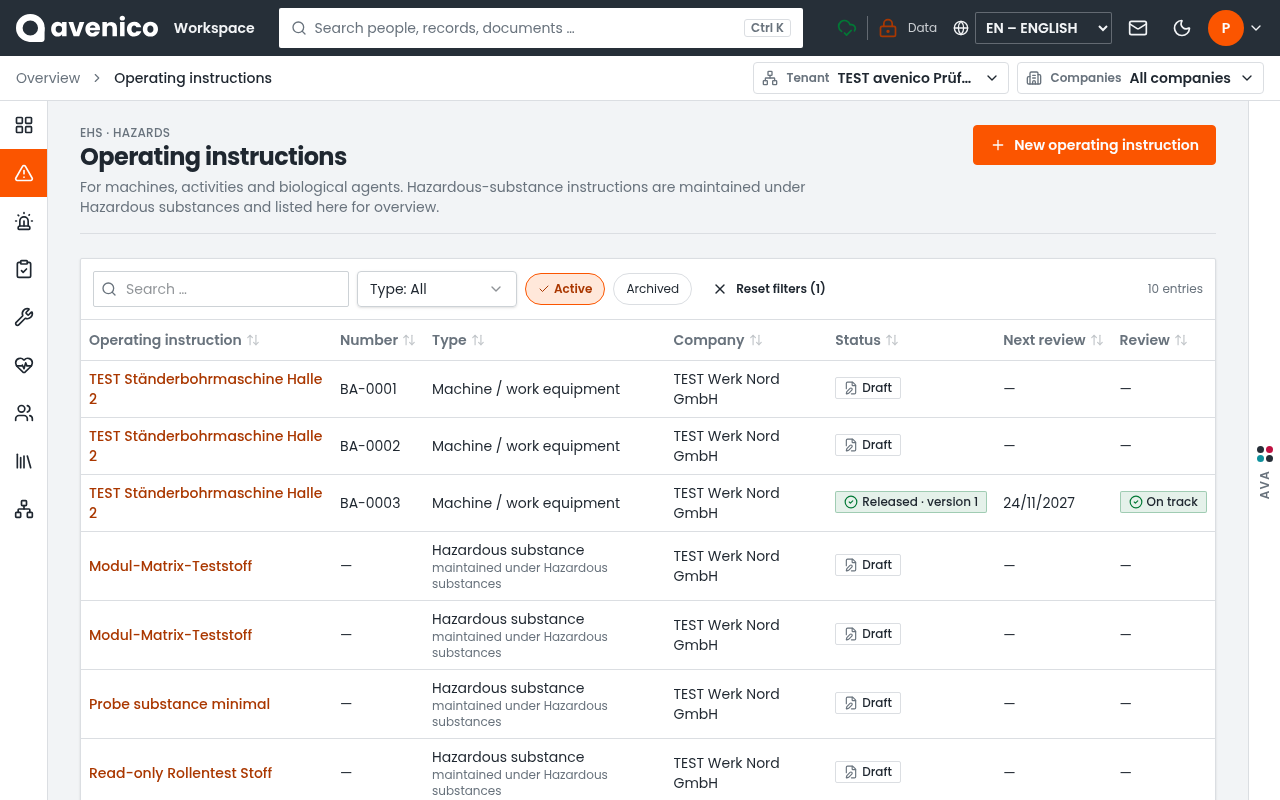
Example from a test account with fictional data - 2
On the new page click Edit. Fill each section with Add item and choose safety signs below. Save with Save.
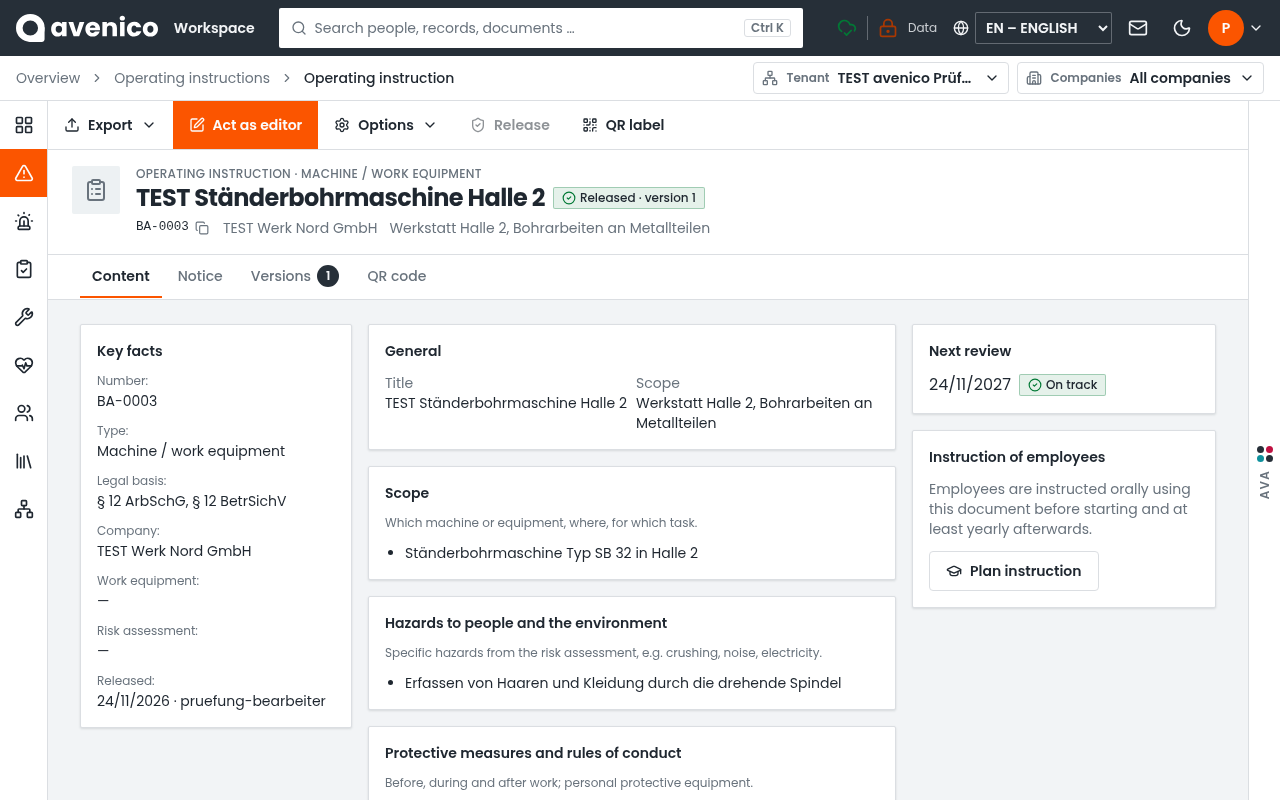
Example from a test account with fictional data
What happens next
Tipp: The operating instruction is saved as a draft. Empty sections are marked Still empty.
Troubleshooting
Achtung:
Where are the operating instructions for hazardous substances?
They stay with each hazardous substance. The overview links there.
Updated: 24/11/2026 · Version 1 · #85342292
Changes in this version: seed:help-2026-11-24b:ba:create