

Choose tenant and company
The selection in the header determines which data you see across all pages.
How to do it
- 1
In the header, click the tenant selector (starting with Mandant) and choose the tenant you want to work in.
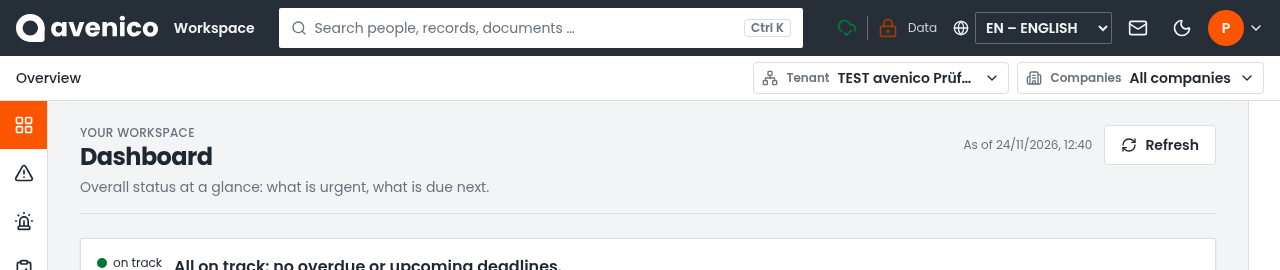
Example from a test account with fictional data - 2
Next to it, click the company selector (starting with Unternehmen) and select an individual company or Alle Unternehmen.
What happens next
Tipp: All lists, metrics, and deadlines now display only data for the selected scope.
Troubleshooting
Achtung:
A company is missing from the list.
You only see companies assigned to your role. An administrator can adjust your company access scope.
Related articles
Updated: 24/11/2026 · Version 2 · #12547895
Changes in this version: fix:2026-11-24:12547895