

Add suggested duties
If catalogue duties match your characteristics but are missing from the legal register, avenico suggests them.
Before you start
Hinweis:
- You have the Editor or administrator role.
How to do it
- 1
In the workspace, open Audits & legal register and switch to the Legal register tab.
- 2
Under Legal characteristics, choose the company.
- 3
Read the list of suggested duties. After “because” you see the characteristic each suggestion comes from.
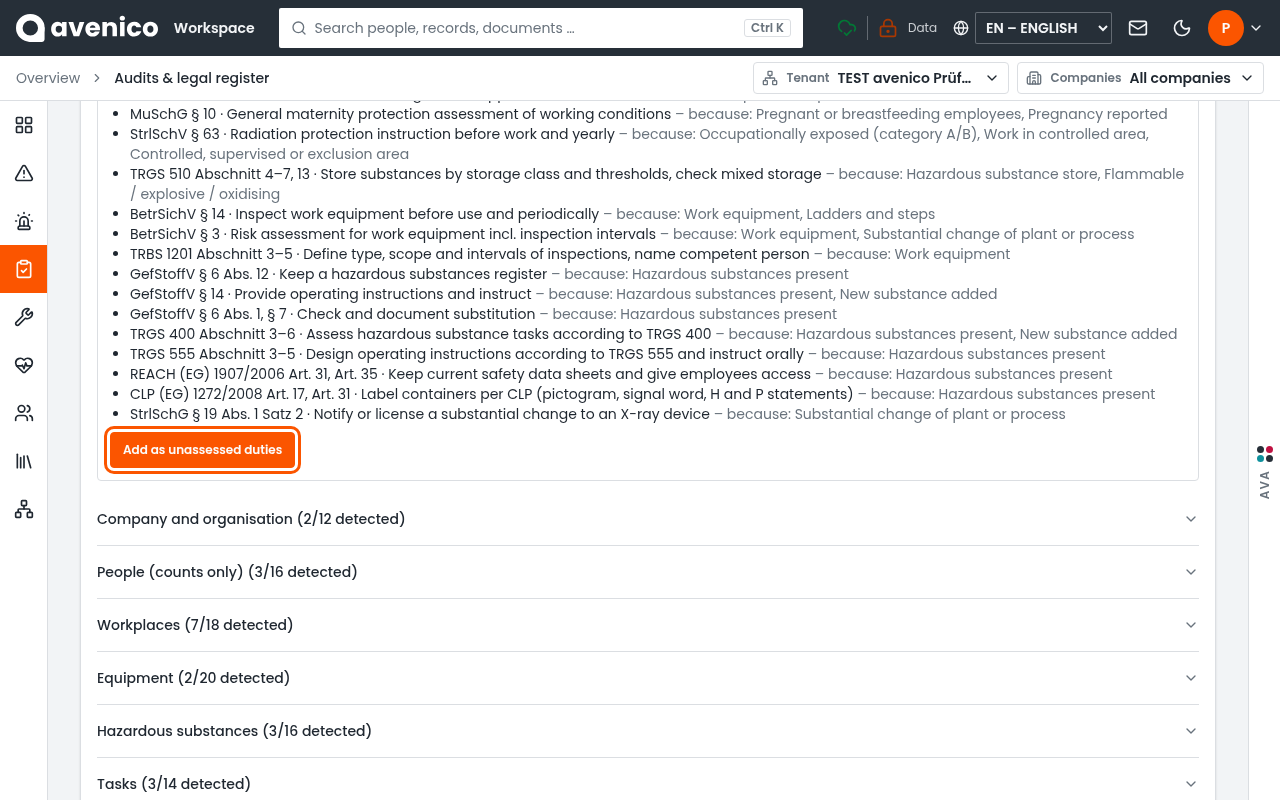
Example from a test account with fictional data - 4
Click Add as unassessed duties.
What happens next
Tipp: The duties appear in the legal register with the status Unknown. They only count as fulfilled once someone assesses them and links evidence.
Troubleshooting
Achtung:
Adding failed.
Reload the page and try again. Duties already added are not created twice.
Updated: 24/11/2026 · Version 1 · #92479265
Changes in this version: seed:help-2026-11-24:legal:suggest