

Approve preventive check-up request
Authorized roles review submitted preventive check-up requests and decide on approval. Each service in a request can be approved, rejected, or returned for clarification individually.
Before you start
- An employee has submitted a preventive check-up request.
- You are part of the responsible approval chain and not the requester yourself.
How to do it
- 1
In the main navigation, click Occupational medicine.
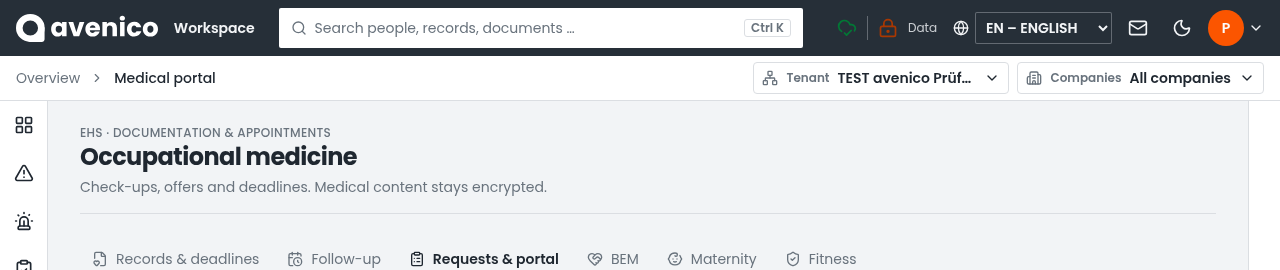
Example from a test account with fictional data - 2
Select the Anfragen & Portal tab in the sub-navigation.
- 3
Under Meine Freigaben or Anfragen, open the relevant case for the person.
- 4
Review the details and decide whether to approve, reject, or return the requested services for clarification.
What happens next
Troubleshooting
What happens if a service is rejected?
An organizational rejection only concludes the approval workflow; statutory mandatory check-ups remain unaffected.
What happens if the request is subsequently modified?
Subsequent modifications trigger fresh review steps and invalidate previously generated documents.
Updated: 24/11/2026 · Version 2 · #53735561
Changes in this version: fix:2026-11-24:53735561