

Legal characteristics: what applies to our company?
avenico detects from your data which legal characteristics apply to a company, such as hazardous substances or work equipment, and shows why.
Before you start
- You have at least the Reader role in the workspace.
How to do it
- 1
In the workspace, open Audits & legal register and switch to the Legal register tab.
- 2
Under Legal characteristics: what applies to us?, choose the company in the Company field.
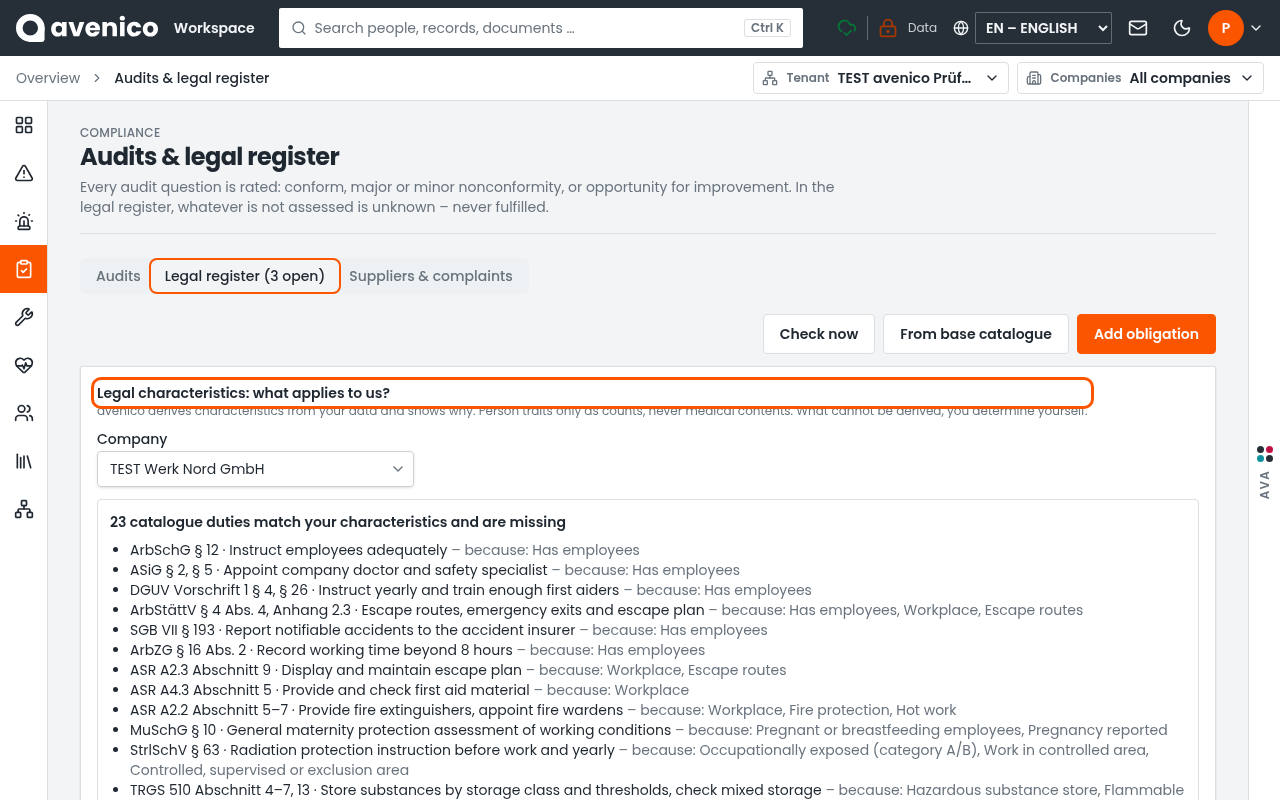
Example from a test account with fictional data - 3
Expand a group, for example Hazardous substances. The brackets show how many characteristics were detected from data.
- 4
Read the line below each characteristic: it shows the legal basis and the reason it was detected.
What happens next
Troubleshooting
A characteristic shows “No indication in data”. Does it not apply?
No. It only means the data does not say anything about it. An editor can set it with Determine.
Updated: 24/11/2026 · Version 1 · #65403393
Changes in this version: seed:help-2026-11-24:legal:traits