

Create a training
How to plan an instruction or training with a fixed list of participants or employee self-booking.
How to do it
- 1
Navigate to Trainings → Trainings.
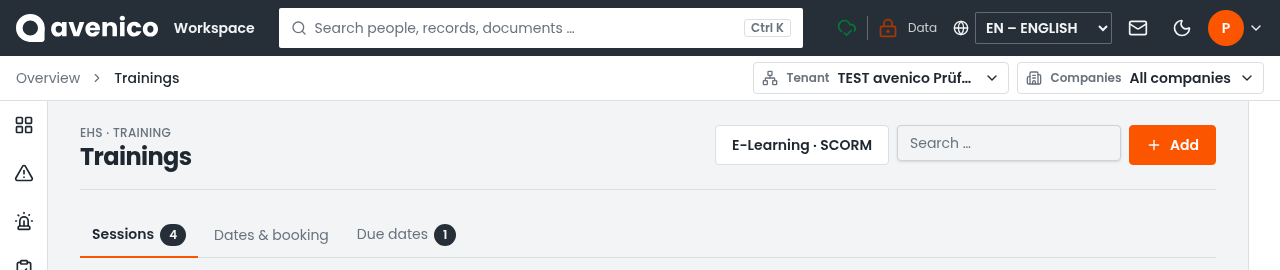
Example from a test account with fictional data - 2
Click Add at the top.
- 3
Select the appropriate format (fixed participant list with invitations or self-booking with scheduled slots) and enter the topic, dates, and participants.
- 4
Save your entries to create the training session.
What happens next
Tipp: The scheduled training appears under the Dates & booking tab. A booking or assignment does not confirm completion; official verification is only generated once attendance and signatures are recorded.
Troubleshooting
Achtung:
The newly created training does not appear in the list.
Check the company filter at the top and ensure you are viewing the Dates & booking tab.
Related articles
Updated: 24/11/2026 · Version 2 · #20519836
Changes in this version: fix:2026-11-24:20519836